Rejected by Google Merchant Center? How We Got a Store Back Into Google Shopping
Rejected by Google Merchant Center? How We Got a Store Back Into Google Shopping
Few things stall an online store faster than a rejected Google Merchant Center account. Your Google Shopping ads stop. Your products drop out of Google’s free listings. And without an approved product feed, Performance Max is off the table too.
That’s where one of our clients, an NZ outdoor products brand selling on Shopify, found themselves. Their store was rejected for “misrepresentation” again and again, across two Merchant Center accounts.
Here’s what we found, what we changed, and what happened once Google approved the store.
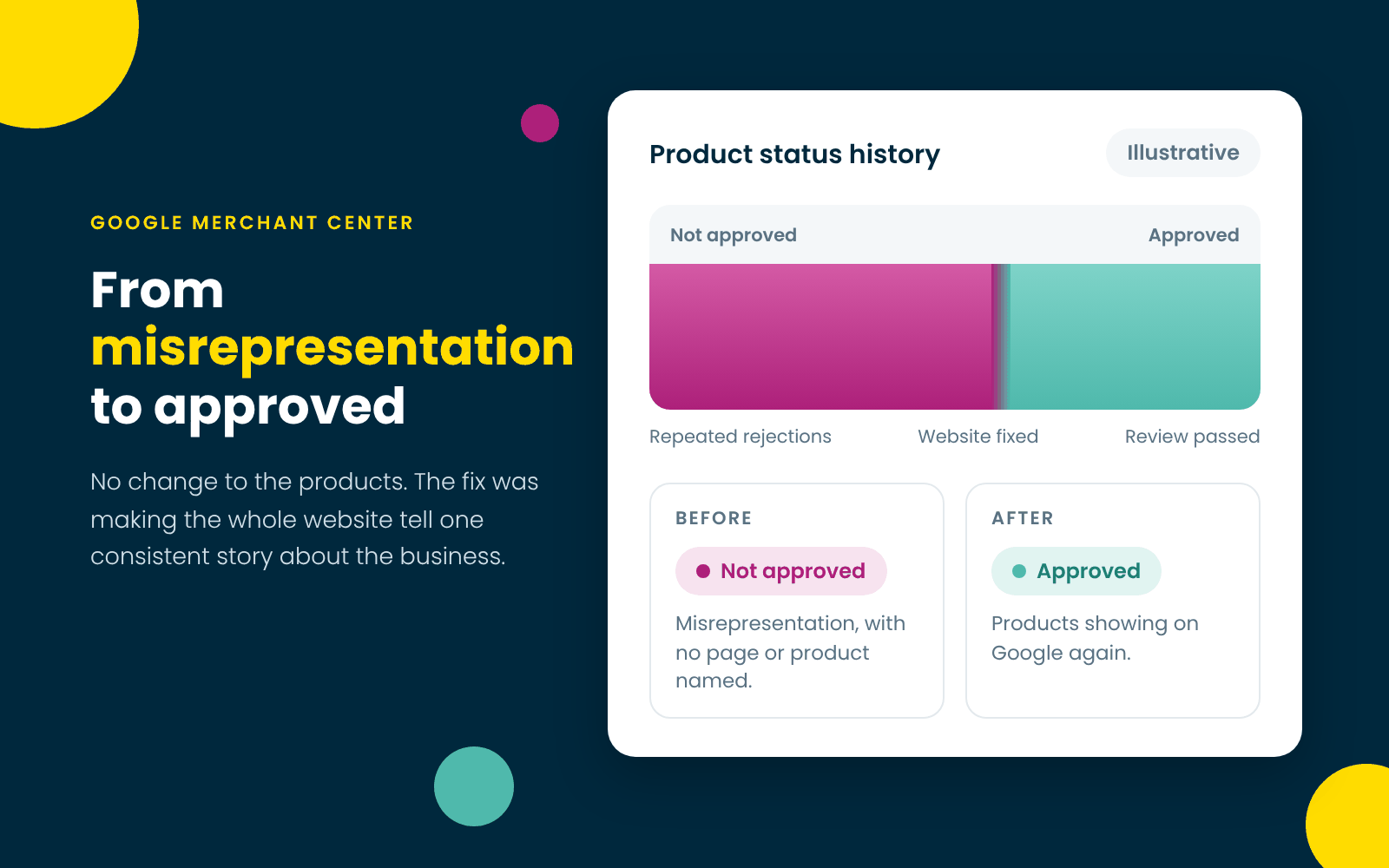
A misrepresentation rejection usually comes down to trust signals across the whole website, not just the product feed.
What “Misrepresentation” Actually Means
Misrepresentation sounds like an accusation, but it rarely means anyone set out to mislead. In our experience, it means Google couldn’t confidently work out who it was dealing with: who runs the store, how to reach them, and what happens after someone pays.
The frustrating part is the notice. It names the policy, not the problem. There’s no page, product or line to fix. Google’s Misrepresentation policy is broad, so the only way through is to audit the whole website, not just the feed.
What We Tried First
We started with the obvious suspect. Most of the range was shown with product renders, so we swapped some of them for real photos.
It didn’t make much difference. The rejections kept coming, which told us the problem was bigger than the imagery.
What We Found
It wasn’t one problem. It was lots of small ones that, added together, made the business hard to verify.
- The business went by three names. Depending on the page, the store was run by the brand, its parent company or a related business.
- There were two separate contact pages.
- The returns policy had no clear return window, and its contact details didn’t match the rest of the site.
- Stock was set to unlimited. Shopify wasn’t tracking quantities, so every product looked permanently in stock, while the shipping policy said products took several business days to manufacture and assemble.
- The terms of service named a different operator and sent questions to two different email addresses.
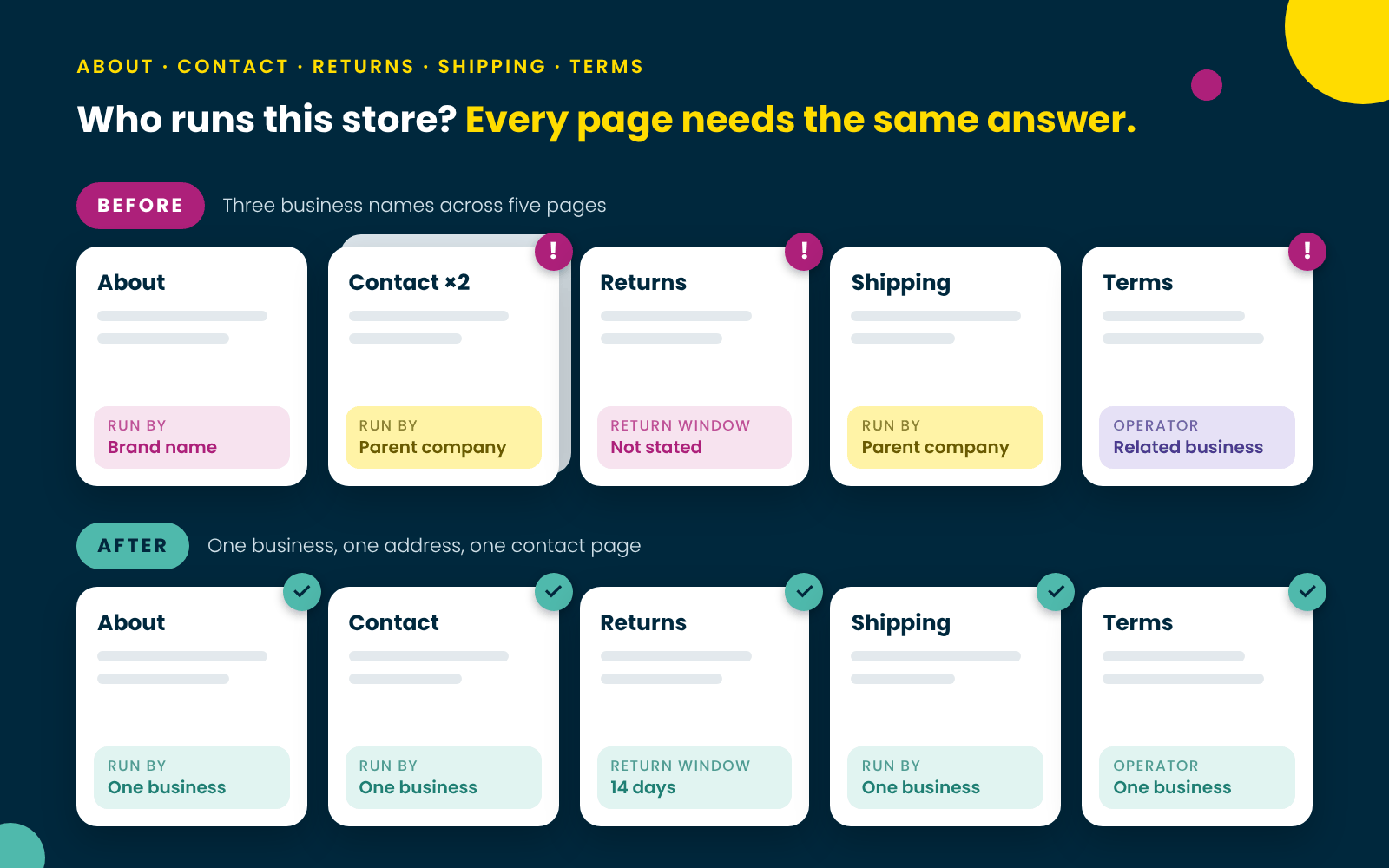
Three business names across five pages was enough to make the store hard for Google to verify.
What We Changed
We went through the site page by page, so every page told the same story about the same business.
- One business identity, everywhere. About, Contact, Returns, Shipping and Terms all name the same business at the same address.
- One contact page with a phone number, email address, street address, contact form and map. Shopify’s built-in contact information page now matches it.
- A returns policy with real terms: a 14-day return window, how to start a return, what can’t be returned and how long refunds take.
- Real stock quantities in Shopify, and a shipping policy to match. In-stock items dispatch without a lead time, and only made-to-order items carry the wait.
- Terms of service that name the right operator, with one email address for questions.
- An About Us page that explains who’s behind the brand, with a link through to the parent company’s site.
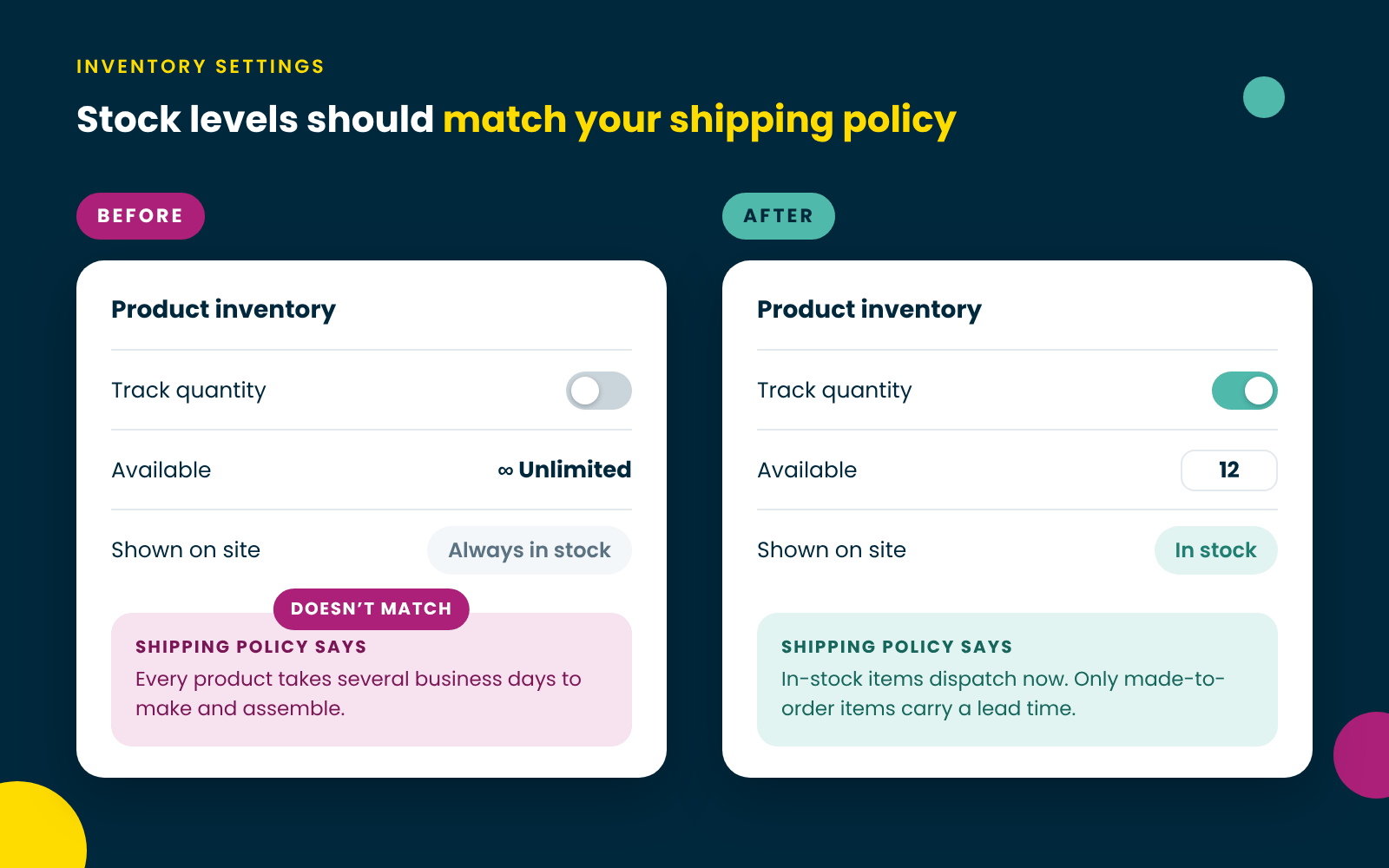
Setting real stock quantities in Shopify brought the store into line with its own shipping policy.
Most of it was copy. The only website design work was merging the contact pages and updating the About Us page.
It’s worth knowing that the trust signals Google looks for are the same ones shoppers look for before they buy. Clear contact details, honest stock levels and a returns policy people can understand all help conversion rates too.
The Result
The store is now approved in Google Merchant Center, and Shopping ads and Performance Max are running.
Over the 30 days from 17 October to 15 November 2026, the store’s Performance Max and Search campaigns delivered 10 conversions, with a return on ad spend of over 7,200%.
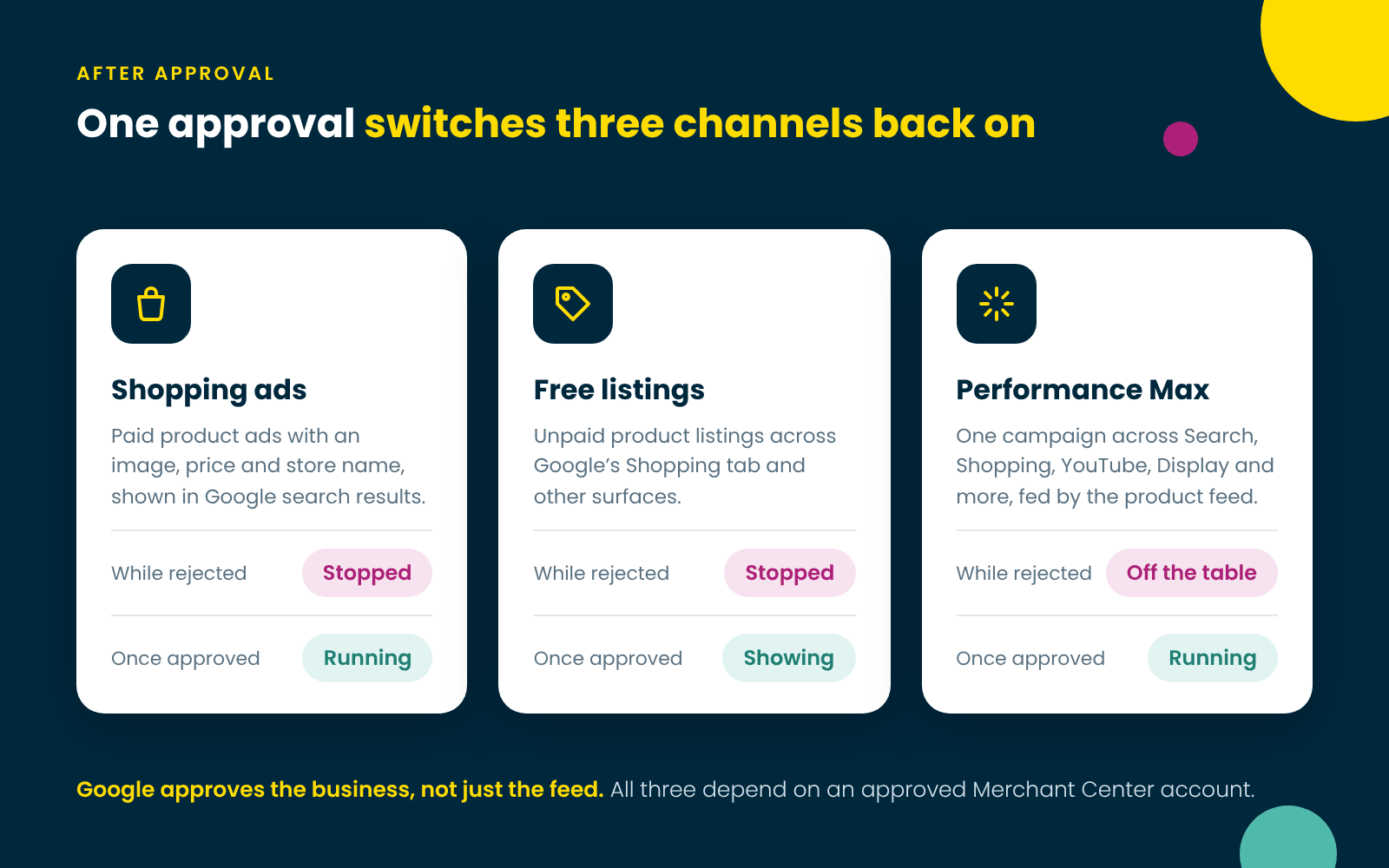
One approval switched Shopping ads, free listings and Performance Max back on.
The lesson: Google approves the business, not just the feed. If your website is vague about who you are, even a perfect feed won’t get you through.
The Product Feed Isn’t Just a Pipeline
Once you’re approved, the focus shifts to the feed. For many online stores, the automatically generated product feed is left to its own devices. The database has the products, the feed pulls from the database, and Google receives the feed. Job done.
But an automatic feed can be automatically wrong. It can carry old titles, missing attributes, weak descriptions and identifiers nobody has checked since the product was first added.
That matters in Google Merchant Center. Google is clear that accurate product identifiers count. If a product has a GTIN, getting it right helps Google understand the product and makes the listing easier for customers to find. Products with missing or incorrect GTINs may have limited visibility.
A product feed isn’t just a way of moving information around. It’s how your store describes itself to advertising systems. A person may understand that “large blue widget” is the same product as the manufacturer’s official model, but Google may not. A customer may forgive a vague product title if the image is clear, but a shopping platform may not. Feed maintenance is as much a marketing issue as a technical one.
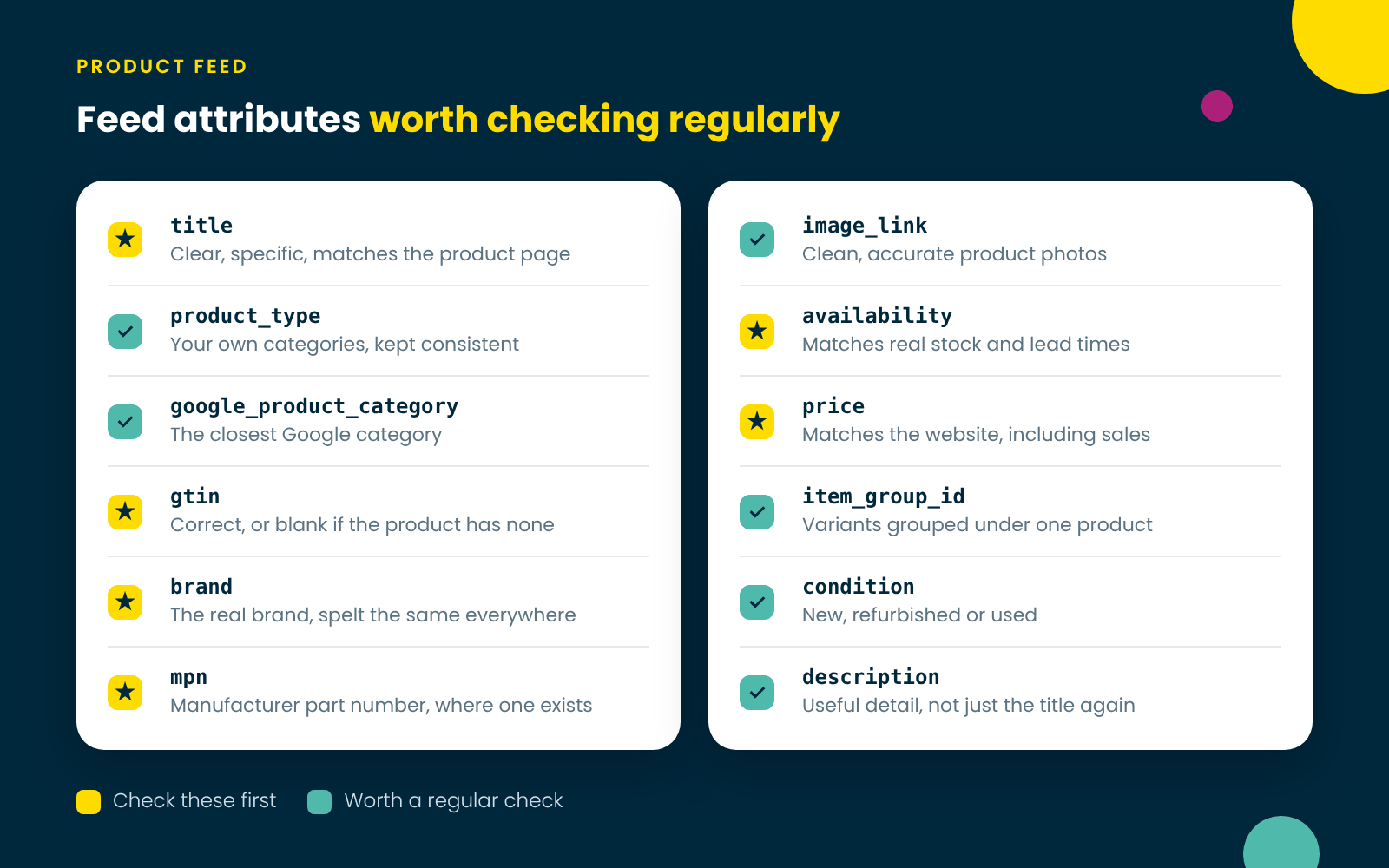
Once you’re approved, these are the feed attributes worth checking regularly.
So review the attributes platforms care about, and do it regularly: titles, product types, categories, GTINs, brand, MPNs, images, availability, price, variants and condition. It isn’t glamorous work, but it’s one of the most practical ways to improve e-commerce visibility.
Before You Ask Google for Another Review
Run through this list first. If you can’t tick everything, fix that before you request a review.
- Every page names the same business, at the same address.
- There’s one contact page, with a phone number, email and physical address.
- Your returns policy gives a clear return window and explains how returns and refunds work.
- Your shipping policy matches what the store actually does, including lead times.
- Stock quantities are tracked, not set to unlimited.
- Your terms of service name the business that runs the site.
- Prices, stock and availability on the site match the feed.
- GTINs, brand and MPNs are correct, or left blank where a product doesn’t have them.
While you’re tidying the site, run it through our free SEO audit tool. It checks the technical basics Google relies on, like your sitemap, robots.txt, SSL and canonical tags.
Stuck in Google Merchant Center?
Merchant Center rejections are fixable, but they rarely come down to one setting. We look at the whole picture: your e-commerce website, your policies and your feed. Then we get your Google Shopping and Performance Max campaigns working for you.
Once they’re live, it pays to know what healthy performance looks like. Our guide to why Google Ads clicks drop is a good place to start.
If your products have dropped out of Google Shopping, get in touch with our team and we’ll take a look.
Say hello…
Let’s talk, chat, email, however you like to make things happen.
Call +64 (0) 62 11 22 33 or email Hello@FizzyPop.nz